

A running log book is a tool that helps runners keep track of their progress and stay motivated. Whether you’re an experienced runner or just starting out, a running journal can be an essential tool to help you reach your goals.
Why do you need a running training log?
A running log book serves many purposes, including:
- Track progress: A running log allows you to track your progress over time and see how far you’ve come. By recording your training data, you can see your improvements in pace, distance, and endurance, and use this information to set new goals.
- Stay motivated: Keeping a running log can help you stay motivated and focused on your goals. It’s easy to get discouraged when you’re trying to achieve a big goal, but by tracking your progress, you can see that you’re making progress, even if it’s slow.
- Identify weaknesses: By keeping a running log, you can identify areas where you need to improve and work on them. For example, if you notice that you’re getting tired during your runs, you can adjust your training plan to include more rest and recovery time.
- Set goals: A running log can help you set realistic and achievable goals. You can use your training data to determine what you need to work on and set new goals based on that information.
A marathon pace calculator is a tool that helps runners determine the pace they need to maintain in order to complete a marathon in a desired time. It takes into account the distance of the race and the time goal, and calculates the average pace needed to achieve that goal. Runners can use this information to plan their training and race strategy.
What data should be tracked in the running journal?
There is no right or wrong way to keep a running log, but here are some common data points that runners often record:
- Date: Record the date of each run to help you keep track of your progress over time.
- Distance: Record the distance you run, either in miles or kilometers.
- Time: Record the time it takes you to complete your run, including warm-up and cool-down.
- Pace: Record your pace, either in minutes per mile or per kilometer.
- Heart Rate: If you have a heart rate monitor, record your average heart rate during your run.
- Weather: Note the weather conditions, including temperature, humidity, and wind, as these can affect your performance.
- Terrain: If you run on different types of terrain, record the type of surface you run on.
- Notes: Include any notes or observations about your run, such as how you felt, if you experienced any pain or discomfort and if there were any challenges you faced.

How Best to Keep a Running log
There are many ways to keep a running log, and the best method for you will depend on your personal preferences. Here are some options:
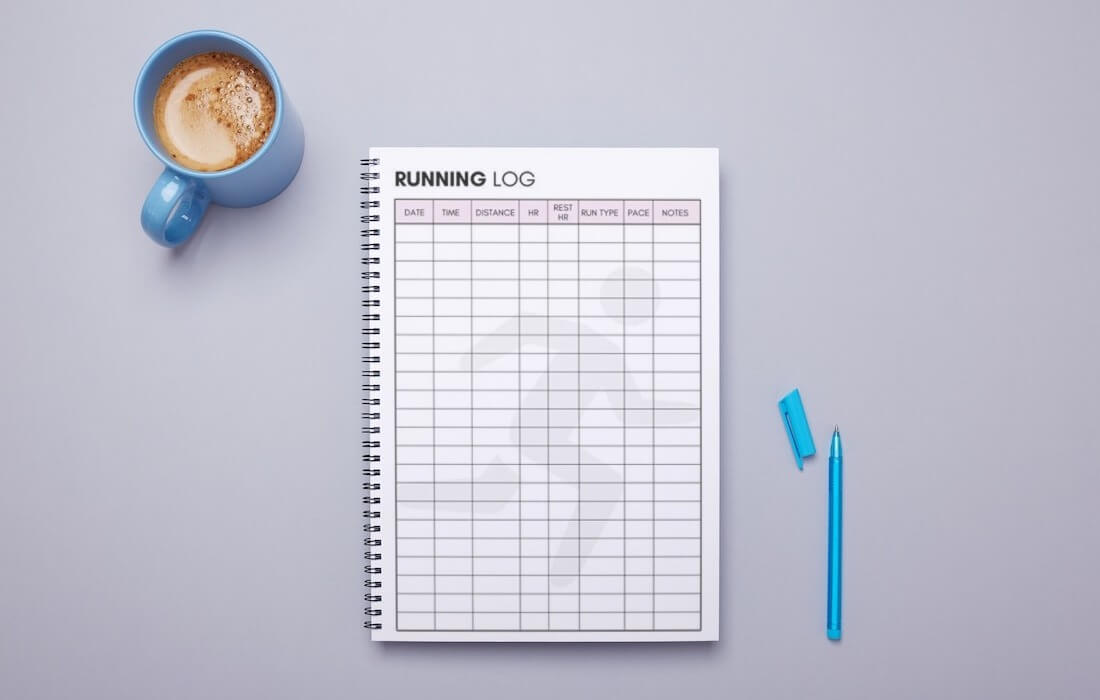
- Notebook: A simple notebook is a traditional and effective way to keep a running log book. You can record your data by hand and have a physical record of your progress.
- Running Log Template Google Sheets: Google Sheets is a free, web-based spreadsheet program that allows you to create a running log template and record your data electronically.
- Running Log Template Excel: Microsoft Excel is a powerful spreadsheet program that allows you to create a running log template and record your data electronically.
- Running Log Apps: There are many running log apps available for smartphones and other devices, including Strava, MapMyRun, and Runkeeper. These apps allow you to track your progress and view your data in a variety of formats.
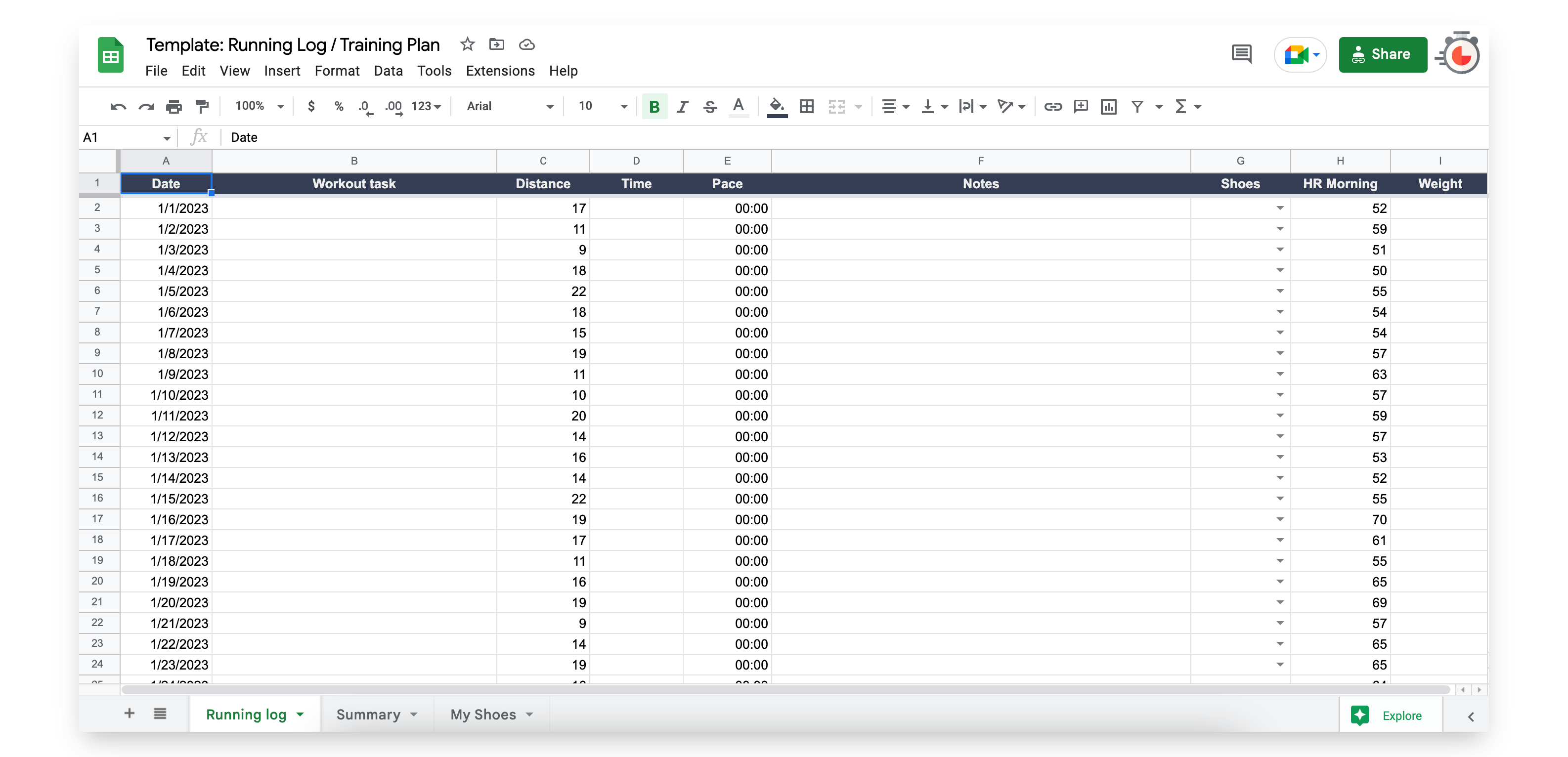
Running log template in Google spreadsheet
Before the advent of Internet technology, runners kept diaries in a paper notebooks. Now many athletes keep online running logs. The best option is to keep a log online in Excel or Google spreadsheet format.
Download or copy the free running planner template
Regardless of how you choose to keep your running journal, the key is to be consistent and thorough in recording your data. A running log can be a valuable tool for tracking your progress, staying motivated, and reaching your running goals. Whether you choose to keep your journal in a notebook, use a running log template in Google Sheets or Excel, or use a running log app, the most important thing is to consistently record your data and use it to help you achieve your goals.
FAQ about Running Log
Your athletic journal, also known as a running log, is a daily record of your progress as a runner. It contains important details about each run, such as the distance you covered and the time it took you to complete it. By keeping track of your mileage and time in your running log, you can monitor your improvement and make adjustments to your training as needed.
Here’s a quick tip: instead of calling it a “journal”, refer to it as a “log”. This makes it feel less high maintenance. Keeping a running log is both simple and highly effective. After each run, take a few notes or jot down some details so that you can learn, reflect, and grow as a runner. By doing this, you can make the most out of your training and track your progress over time.
The best place to keep a running journal is ultimately a matter of personal preference. Some runners prefer to use a physical notebook where they can write down their runs by hand, while others find it more convenient to use a digital application or a Google spreadsheet that they can access from any device with internet connectivity.
A notebook is a good option if you prefer the tactile experience of writing things down by hand and want a simple and low-tech solution. However, it may be less organized and harder to search through than a digital alternative.
On the other hand, using an application or a Google spreadsheet can provide more organization and data analysis options. You can easily search and filter your runs, track your progress over time, and even visualize your data with graphs and charts. However, it may require some initial setup and learning to get the most out of these tools.